IEC 61850 Substation Computers: What a Rackmount PC Does Inside a Digital Substation

Quick Answer
A substation computer collects data from protection relays over IEC 61850, passes it to SCADA, and keeps running in conditions an office PC cannot survive. This guide explains what it does and how to specify one.
A substation is a hostile place for electronics. Switching surges couple into every cable, the control room can sit at 45 °C with no air conditioning in summer and below freezing in winter, dust settles on everything, and the computer that collects data from the protection relays has to run for fifteen years without a reboot window. A desktop PC under a desk in the same room fails within a year, and when it fails, the operators lose sight of the substation at the moment they most need it.
A substation computer is a ruggedized industrial computer that sits between the protection and control devices in a substation and the SCADA system that monitors them. It talks to the relays over IEC 61850, translates their data for the control center, stores events and disturbance records, and keeps working under surge, heat, vibration and a dual power supply. This guide explains what a substation computer does, what the IEC 61850 standard family asks of it, how it differs from an RTU or a protocol gateway, and how to specify one for IEC 61850 substation automation or a digital substation project.
What a Substation Computer Is, and Why It Is Not an Office PC
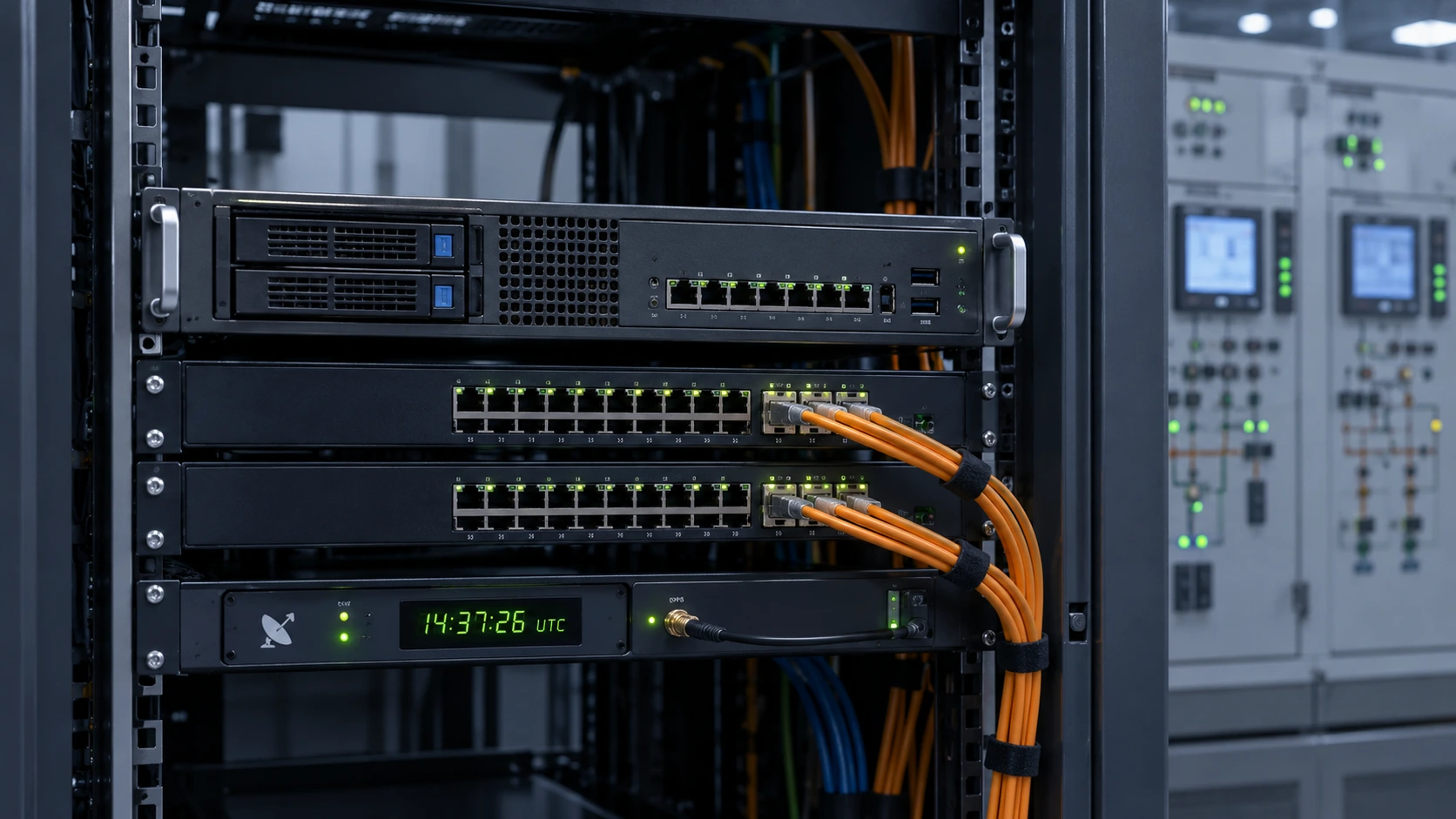
The device looks like a small server: a 2U rack chassis with Ethernet ports, serial ports, storage bays and a power supply. The difference is inside. An office PC is designed for a controlled environment and a three-to-five-year replacement cycle. A substation computer is designed to a different standard, IEC 61850-3, which sets the electromagnetic and environmental requirements for equipment in substations, and often also to IEEE 1613, the US standard for communications networking devices in electric power substations.
Those standards test the things that kill electronics in the field. They apply fast transient bursts and surges to the power and signal ports, subject the device to electrostatic discharge and radiated fields, and run it at the temperature extremes the manufacturer claims. A unit that passes keeps working when a breaker operates next to it, which is the property a substation computer exists to provide. The result is a computer with isolated serial ports, surge-protected power inputs, a wide temperature range and often no moving parts that wear out.
The software stack is ordinary. Most substation computers run Windows or Linux and host a protocol gateway, an HMI, a historian or a combination. What the hardware adds is the guarantee that the computer is still there when the software needs it.
IEC 61850 in Brief: The Parts the Computer Uses
IEC 61850 is a series of standards for communication networks and systems in power utility automation, and it replaced a patchwork of proprietary relay protocols with one data model. Several parts bear directly on the computer.
IEC 61850-7 defines the data model. A relay is described as a set of logical devices and logical nodes, each representing a function such as an overcurrent protection element, a circuit breaker or a measurement unit, with named data objects. A trip signal from an overcurrent element has the same name on a relay from any manufacturer, which is what makes integration possible without custom drivers.
IEC 61850-8-1 maps the model onto Ethernet. It defines two services that matter here. MMS, the Manufacturing Message Specification, is a client-server service for reports, controls and file transfer, and the substation computer usually acts as the MMS client that polls or receives reports from each relay. GOOSE messaging, short for generic object oriented substation event, is a fast peer-to-peer multicast service that relays use to send trip, blocking and interlocking signals to each other in a few milliseconds, replacing hard-wired copper between panels. The computer is normally not part of the GOOSE trip path, but it monitors the GOOSE traffic and logs it.
IEC 61850-9-2 defines sampled values, which carry digitized current and voltage samples from merging units on the process bus. IEC 61850-6 defines the configuration language, SCL, whose files describe each device and the whole system and are the basis of engineering. IEC 61850-10 covers conformance testing. IEC 61850-3, as noted, sets the hardware conditions.
An IEC 61850 substation computer is not the protection system. The relays decide and trip; the computer observes, records and reports.
What the Substation Computer Actually Does
Five jobs fill most designs, and a single unit often combines several.
The first is data concentration. The computer connects to every relay and meter, collects status, measurements and alarms, and holds a current database of the substation. Where the relays speak IEC 61850, it acts as an MMS client. Where older relays speak Modbus or DNP3, the computer talks to them over serial or Ethernet and presents everything in one database.
The second is the IEC 61850 gateway function, which is why the same box is sometimes sold as an IEC 61850 gateway with extra storage. The control center may not speak IEC 61850. It might speak IEC 60870-5-104, DNP3 or Modbus TCP. The computer converts the substation database into the protocol the SCADA master expects, which lets a modern substation join an older control system. The post on accessing legacy RS232 and RS485 equipment over Ethernet covers the same translation problem at plant level.
The third is local supervision. The computer can host a local HMI so operators in the substation control room see the single-line diagram, alarms and trends without relying on the link to the control center. If that link fails, the substation stays visible.
The fourth is event and disturbance recording. After a fault, engineers need the sequence of events and the waveforms that relays captured. The computer pulls disturbance records, usually in COMTRADE format, and the event log from each relay and stores them centrally, so no one has to visit every panel with a laptop. Accurate time stamps are essential, so the computer often doubles as a time server, distributing NTP or IEEE 1588 PTP time from a GPS clock.
The fifth is the security boundary. The computer is the single point where the substation network meets the outside world, so it often hosts a firewall, remote access with authentication, and logging. Cybersecurity frameworks for these systems follow IEC 62351 for the protocols and IEC 62443 for the wider industrial security program.
The Hardware Standards: IEC 61850-3 and IEEE 1613
The point of an industrial computer is its tolerance, and the table compares what a typical substation computer must survive with what an office PC does. The right-hand column uses the Moxa DA-682C-KL7-HH-T from the TCC catalog as the example.
| Requirement | Office PC | Substation computer | Moxa DA-682C-KL7-HH-T |
|---|---|---|---|
| Standards | CE, general EMC | IEC 61850-3, IEEE 1613, IEC 60255 | Listed as compliant with all three |
| Operating temperature | Roughly 0 to 35 °C | Wide range, often −40 to 70 °C | −40 to 70 °C |
| Power supply | Single AC | Dual redundant, AC or DC | Redundant 100 to 240 VAC or VDC |
| Storage | Single drive | Hot-swap drives with RAID | Two hot-swappable 2.5-inch bays, RAID 0 and 1 |
| Network | One or two ports | Many ports, often redundant | Six Gigabit Ethernet ports |
| Serial ports | Rare | Isolated RS-232, 422, 485 | Two isolated serial ports |
| Processor and memory | Consumer-grade | Industrial, long lifecycle | 7th-generation Intel Core i7, up to 32 GB DDR4 |
| Expansion | PCIe slots | Slots for extra LAN or serial | Two expansion slots |
The most important line in that table is redundancy. Dual power inputs allow the computer to be fed from two separate sources, such as the station battery and an inverter, so a failure of one does not stop it. Hot-swap drives in RAID mean a failed disk is replaced while the computer runs, with no logging gap. These features cost little compared with the cost of a substation running blind.
Architecture of a Digital Substation
A digital substation replaces copper with Ethernet at two levels. The station bus links the protection and control devices, the computers and the HMI. The process bus links the merging units at the primary equipment, which digitize current and voltage, to the relays that consume them. A conventional substation with IEC 61850 on the station bus only is sometimes called a hybrid. A digital substation extends the standard to the process bus as well, so the copper CT and VT cables to the relay panel are replaced by fiber.
Network redundancy needs a plan, because the IEC 61850 traffic is critical. Two redundancy protocols with zero recovery time, PRP and HSR, defined in IEC 62439-3, duplicate every frame over two paths so a cable or switch failure causes no gap. Rapid spanning tree protocol is the cheaper, slower alternative, adequate for the station bus in many industrial substations but too slow for the GOOSE traffic in the most demanding designs.
A typical medium voltage industrial substation might look like this: feeder and transformer relays on a ring of managed switches, two substation computers in a redundant pair, a GPS clock feeding NTP or PTP, a firewall, and a link to the plant SCADA using IEC 60870-5-104 or the plant's own protocol. Our guide to ring main units and MV switchgear describes the primary equipment that such a system monitors.
Cybersecurity at the Substation Boundary
The substation computer is the most exposed device in the substation, because it is the one that talks to the outside. A compromised computer can feed false data to the control center, or in the worst case send commands to breakers, so the security design deserves the same attention as the protection design.
The basic pattern is segmentation. The station bus carrying relay traffic sits behind the computer and a firewall, and no relay is reachable from the plant network or the internet. The north-side link to SCADA runs over a defined, filtered path. Remote access for engineers goes through a jump host with strong authentication and a log, never through an open port. The protocols themselves are covered by IEC 62351, which adds authentication and encryption to MMS, GOOSE and the other IEC 61850 services, and the wider program follows IEC 62443, which defines security levels and roles for industrial automation.
Patching is the hardest part in day-to-day operation. A substation computer cannot be rebooted at any time, so patches need a maintenance window and a tested rollback. The redundant pair helps here: one unit is patched and verified while the other carries the load. A backup of the configuration and the event database before each change is the minimum precaution.
Time synchronization belongs in the same discussion, because a falsified time source corrupts the event record. Sequence-of-events analysis needs timestamps accurate to a millisecond or better, and sampled values on a process bus need synchronization to about a microsecond, which is why a digital substation uses a PTP profile defined for power systems, in IEC 61850-9-3 and IEEE C37.238, with a GPS grandmaster clock and a backup.
Substation Computer vs RTU vs Protocol Gateway
Three devices overlap, and projects sometimes buy the wrong one. The comparison clarifies the roles.
| Feature | Substation computer | RTU | Protocol gateway |
|---|---|---|---|
| Main role | Data concentration, local HMI, recording, security | Collect I/O and report to SCADA | Convert one protocol to another |
| Hardware inputs | Ethernet, serial, some digital I/O | Many hardwired I/O cards | Ethernet and serial only |
| Processing power | High, runs full software | Moderate, fixed firmware | Low to moderate |
| Local HMI | Yes | Usually no | No |
| Storage for events and records | Large | Limited | Minimal |
| Typical choice | New digital or retrofit substation | Legacy sites with hardwired signals | Simple protocol conversion |
A pure IEC 61850 gateway, which only translates protocols, costs less than a computer and does nothing else. An RTU makes sense where hundreds of hardwired signals still come in from old switchgear. A gateway makes sense where only a protocol conversion is missing. A substation computer makes sense where the system needs recording, local supervision, security and a platform for future functions, which is the usual case in IEC 61850 substation automation projects. Many projects use a computer alongside an RTU during a phased retrofit.
Real-World Scenario: Retrofitting an Industrial Substation
A steel plant runs a 33 kV substation built in the 1990s, with electromechanical relays, hardwired indications on a mimic panel, and a ten-year-old RTU that reports four status points per feeder. Operators know a feeder has tripped, not why. The figures below are an illustration, not a client record.
The plant replaces the relays with numerical relays that speak IEC 61850, in line with the points covered in our article on protection relay replacement. Each relay now holds hundreds of data points, including phase currents, fault type, breaker status and a disturbance record. The old RTU can carry only a few of them.
A pair of substation computers is installed in the control room, each connected to both of two switches in a ring. They act as MMS clients to every relay, collect the event log and disturbance records after each fault, and expose the data to the plant SCADA over IEC 60870-5-104. The operators see the fault type, the fault current and the sequence of events within seconds, and engineers retrieve the COMTRADE record from the control room instead of walking to the panel. A GPS clock synchronizes all devices, so the event log reads in true order.
The first benefit shows up on the first fault after commissioning: instead of a lost shift of troubleshooting, the team has the cause on screen. The second is quieter. When a relay's CT circuit is found to be wrong during commissioning, the computer's event log shows the false alarms it caused. The investment pays back in downtime avoided, and it is easy to show to management with before and after fault reports.
Specifying a Substation Computer
A specification starts with the system, not the computer. Count the relays, meters and other devices, and estimate the data points they will present, because the gateway and database must handle that load with margin. Name the protocols on the south side, towards the devices, and on the north side, towards SCADA. Decide whether the computer is single or a redundant pair, and how the pair fails over.
Then specify the hardware. Ask for IEC 61850-3 and, if the client or utility requires it, IEEE 1613 compliance, with the test report and the exact edition. Check the temperature range against the room, the power input against the station supply, the number and type of Ethernet ports against the network design, and the serial ports against the legacy devices. Ask about storage: size, RAID, and hot-swap, and how long event and disturbance records must be kept. Ask about the lifecycle, meaning how many years the manufacturer commits to supply the unit and its spare parts, since substations outlive computer generations.
Security belongs in the specification too. Ask who patches the operating system, how, and during what window, and how remote access is authenticated and logged. The Moxa DA-682C-KL7-HH-T in the TCC catalog is one example that meets the IEC 61850-3 hardware profile, with six Gigabit ports, two isolated serial ports, redundant power and RAID-capable hot-swap storage, and with two expansion slots for extra LAN or serial modules.
Commissioning, Testing and Lifecycle
Commissioning follows the engineering files. The SCL files describe each device and the connections between them, and the computer's configuration is built from them, so a change in a relay that is not reflected in the SCL file leads to a mismatch. Keep the system configuration file under version control, with a record of who changed what.
Factory acceptance testing exercises the system with simulated relays and the real computer. Site acceptance testing then checks every data point from relay to SCADA, tests the failover of the computer pair, pulls the power on one supply and removes one hard drive to confirm the system survives, and verifies the time stamps against the GPS clock. GOOSE messaging is tested separately, because a mistake in a GOOSE subscription may only show on a real event.
Lifecycle work is routine and easy to neglect. Back up the configuration and the database. Patch the operating system on a plan, testing patches on a spare first. Replace the RAID drives before they reach their rated life. Keep a spare computer, configured and tested, on the shelf. TCC's industrial automation and electrical engineering teams supply and commission substation computers, gateways and the surrounding network, and the article on OPC UA in plant data flow explains how the data can continue north from the substation into plant systems.
Frequently Asked Questions
What is a substation computer?
A substation computer is a ruggedized industrial computer that collects data from protection relays and meters in a substation, usually over IEC 61850, and passes it to SCADA. It also stores events and disturbance records, hosts a local HMI and acts as a security boundary. It is built to IEC 61850-3 and often IEEE 1613 for surge, temperature and vibration tolerance.
What is the difference between IEC 61850 and IEC 61850-3?
IEC 61850 is the whole standard family for communication networks and systems in power utility automation, covering data models, services and configuration. IEC 61850-3 is one part of it, and it sets the general requirements for the hardware, including electromagnetic compatibility, temperature and environmental conditions for equipment installed in substations.
What is GOOSE messaging?
GOOSE messaging is a fast multicast service in IEC 61850-8-1 that lets protection relays send status and trip signals to each other directly over Ethernet within a few milliseconds. It replaces hard-wired copper between panels. A substation computer normally monitors and logs the GOOSE traffic and takes no part in the protection decision.
Do I need a substation computer if I already have an RTU?
Not always. An RTU is enough where the system only needs hardwired I/O reported to SCADA. A substation computer adds local supervision, large-scale event and disturbance storage, flexible protocol conversion and a security boundary. Many sites install both during a phased retrofit, then retire the RTU when the relays and communications are fully digital.
Related products
Components from our catalogue relevant to this article — request a quote for availability, lead time and pricing.
/DA-682C-KL7-HH-T Moxa.webp "Moxa Moxa DA-682C-KL7-HH-T IEC 61850 Rackmount Computer | 2U rackmount industrial computer, Intel Core i7, IEC 61850-3 compliant")
Moxa DA-682C-KL7-HH-T IEC 61850 Rackmount Computer
2U rackmount industrial computer, Intel Core i7, IEC 61850-3 compliant
/45MR-1600 Moxa.webp "Moxa Moxa 45MR-1600 ioThinx 4500 16-Channel Digital Input Module | Tool-free DIN-rail I/O module, 16 digital inputs, ioThinx 4500 Series")
Moxa 45MR-1600 ioThinx 4500 16-Channel Digital Input Module
Tool-free DIN-rail I/O module, 16 digital inputs, ioThinx 4500 Series
/45MR-1601 Moxa.webp "Moxa Moxa 45MR-1601 ioThinx 4500 16-Channel Digital Input Module | Tool-free DIN-rail I/O module, 16 digital inputs, ioThinx 4500 Series")
Moxa 45MR-1601 ioThinx 4500 16-Channel Digital Input Module
Tool-free DIN-rail I/O module, 16 digital inputs, ioThinx 4500 Series
/91977 Moxa - PTC-101-S-SC-HV.webp "Moxa Moxa PTC-101-S-SC-HV Ethernet-to-Fiber Media Converter | IEC 61850-3 Ethernet-to-fiber media converter, single-mode SC, high voltage input")
Moxa PTC-101-S-SC-HV Ethernet-to-Fiber Media Converter
IEC 61850-3 Ethernet-to-fiber media converter, single-mode SC, high voltage input