
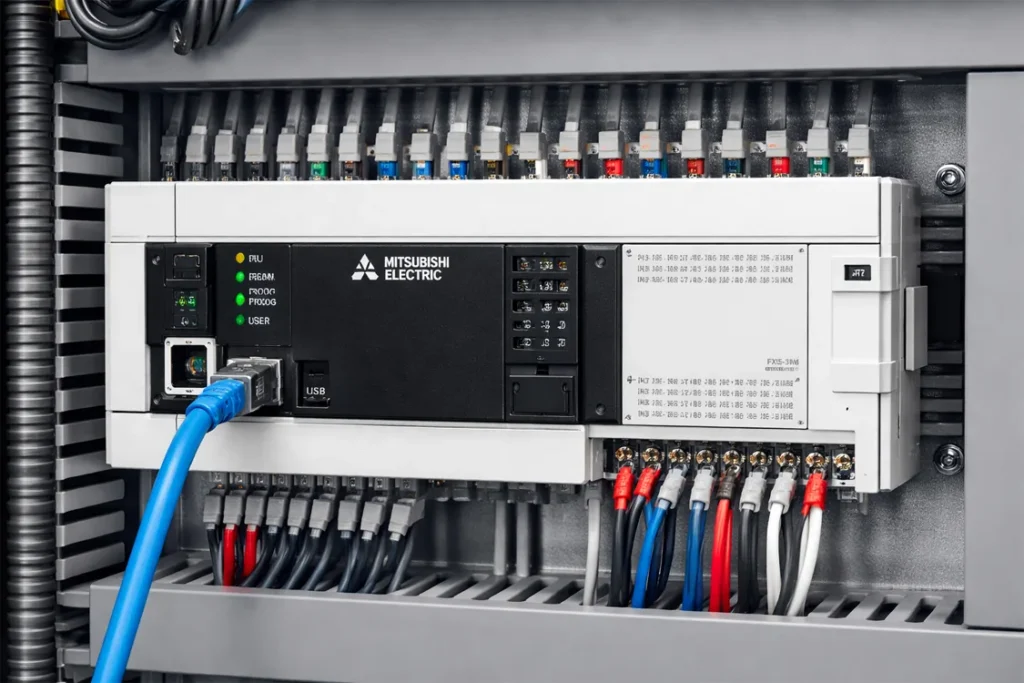
The Ultimate Mitsubishi PLC Error Codes Guide
Incredible Fixes & Proven Prevention Strategies
Why Your Production Line Can’t Afford PLC Downtime
In the fast-paced world of industrial automation, a halted production line is more than just a technical glitch—it is a costly nightmare that every plant engineer and manager dreads. Mitsubishi PLCs, renowned for their unmatched reliability and robust engineering, serve as the critical backbone for modern factories globally.
However, even the most best-in-class systems are susceptible to inevitable technical failures. Whether it’s an FX series or a high-end Q-series, understanding how to decode system faults is the key to maintaining massive operational efficiency. This comprehensive guide provides a professional walkthrough of common Mitsubishi PLC error codes, offering incredible troubleshooting techniques designed to minimize downtime and restore your systems with world-class speed.
The Architecture of Mitsubishi Errors: Minor to Major Diagnostics
Before diving into specific codes, it is essential to understand how Mitsubishi Electric categorizes system faults. This tiered architecture is the perfect starting point for any diagnostic process
-
Minor Errors: Often temporary or non-critical glitches. The PLC light might blink, but the system continues to run. These usually involve minor calculation overflows or non-critical I/O delays.
-
Moderate Errors: These faults may stop specific tasks or modules but do not necessarily crash the entire CPU. These require immediate attention to prevent a total shutdown. The Ultimate Mitsubishi PLC Error Codes Guide
-
Major Errors: Critical hardware failures or logic corruption that results in an immediate system halt. When a Major Error occurs, the “ERROR” LED will stay solid red, requiring a full system reset or hardware replacement. The Ultimate Mitsubishi PLC Error Codes Guide
Common Mitsubishi PLC Error Codes & Incredible Fixes
To restore your industrial system with unfailing accuracy, refer to this categorized breakdown of the most frequent fault codes encountered in the field. The Ultimate Mitsubishi PLC Error Codes Guide
| Error Category | Code Range | Potential Cause | Proven Incredible Fix |
| Power Supply | E0 – E3 | Voltage fluctuations | Verify input voltage & check fuse integrity. |
| Communication | 6601 / 7000 | EMI Noise or cable damage | Replace RS-485/Ethernet cables; check grounding. |
| CPU / Memory | 6700 – 6705 | Logic or RAM corruption | Clear PLC memory and reload the official backup. |
| I/O Module | 2000 – 2999 | Module mismatch / Loose fit | Reseat the module firmly and check terminal block wiring. |
| Operation Error | 4000 – 4100 | Division by zero / Logic bug | Audit the ladder logic for mathematical errors. |
Detailed Troubleshooting: Deep Dive into Critical Faults
Solving Communication Errors (6601/7000)
Communication errors are often the most frustrating. If your system reports a 7000 series error, it often points to a “Timeout” or “Response Error.”
-
Strategy: Check if the termination resistor is properly set. In noisy environments, ensure you are using shielded twisted-pair cables to prevent massive data corruption.
CPU and RAM Diagnostics (6700+)
When the CPU LED blinks, it’s a sign that the internal logic check has failed.
-
Strategy: Perform a “Memory Copy” or “Flash ROM” write. Often, an unexpected power surge can corrupt a single bit of data, causing a strategic halt in operations. The Ultimate Mitsubishi PLC Error Codes Guide
Expert Engineering Insight (E-E-A-T)
At Techno Control Corporation, our extensive field experience across Pakistan and international industrial hubs reveals a proven and startling fact: Over 60% of reported PLC “failures” are actually caused by poor grounding or loose wiring. Before assuming your expensive Mitsubishi CPU is dead, our senior engineers recommend performing a thorough continuity test on all connected I/O terminals. This simple, smart step can save your company massive repair costs and prevent days of unnecessary downtime. Always verify the “Basics” before moving to complex hardware swaps. The Ultimate Mitsubishi PLC Error Codes Guide
Pro-Active Preventive Maintenance Checklist
To ensure the guaranteed longevity of your automation hardware, follow this expert-approved maintenance schedule:
-
Battery Replacement: Change the PLC lithium battery every 2-3 years. A dead battery leads to total program loss during power outages a disastrous but preventable mistake.
-
Thermal Management: Ensure the control panel has perfect ventilation. Excessive heat is the number one silent killer of PLC capacitors and internal circuits.
-
Firmware Updates: Periodically check for official Mitsubishi firmware patches to fix known security vulnerabilities and improve processing speed.
-
Logic Backups: Never rely on a single source. Always maintain updated copies of your files on a secure cloud server and an external physical drive. The Ultimate Mitsubishi PLC Error Codes Guide
Conclusion: Empower Your Plant with Strategic Troubleshooting
Troubleshooting is the art of elimination. By following a systematic approach and utilizing this ultimate guide, you can restore industrial operations with unmatched precision. Don’t settle for mediocre performance or prolonged downtime when proven solutions are at your fingertips. The Ultimate Mitsubishi PLC Error Codes Guide
Ready to optimize your PLC performance? Explore our latest Mitsubishi PLC Range or download the Full Mitsubishi Error Code Manual (PDF) for deeper technical analysis. For urgent on-site support and industrial consulting, our expert team at Techno Control is ready to provide the best-in-class assistance your business deserves. The Ultimate Mitsubishi PLC Error Codes Guide